Real estate photography shot list generator
Turn beds, baths, and features into a complete room-by-room shot list — sequenced for the shoot, trimmed to your MLS limit, with a composition tip for every space.
No signupNo watermarksRuns in your browser
Use 0 for a studio
Count half baths as 0.5
Notable features
Your shot plan
Recommended photos
24
Areas to cover
14
Exterior · interior
8 · 16
The ideal set here is 24 shots across 14 areas. It fits a 36-photo cap with 12 to spare.
After the shoot
Your 24-shot plan for a 3-bed, 2-bath single-family home
The plan is the easy part — the invoice, the gallery and the client chase are what eat the evening. Run bookings, clients, invoicing and white-label delivery from one workspace, and hand this shoot back under your own brand.
Free to create an account · no card required — download the list first if you want to keep it.
Booking someone else? Compare photographers0 of 24 shots checked
Exterior
Shoot these first while the light is even — twilight comes last.
Interior
Follow the floor plan — entry to living spaces to private rooms.
How it works
Enter the basics — beds, baths, square footage, property type — and toggle the features worth a frame of their own. The generator budgets shots the way a working photographer does: two wide angles for the main living spaces, three for the kitchen, one per secondary bedroom and bathroom, and a dedicated shot for every feature buyers filter searches by, from the pool to the home office.
Set your MLS photo limit and the list trims itself in the right order — finish details and flex spaces are thinned first and dropped outright if the cap is tight, while every main room keeps at least one wide. Anything cut is named beside the plan, so nothing disappears quietly. The result comes sequenced for the shoot: exteriors while the light is even, interiors along the floor plan, twilight last. Check shots off as you move through the house, then copy, print, or download the list.
How many photos
How many photos does a real estate listing need?
Most MLS systems cap listings at 25 to 50 photos, and most homes photograph best well under the cap. Large and luxury properties can justify more — when every frame shows something new. As a working rule:
12–15 photos
One-bedroom condo
23–28 photos
Three-bedroom home
28–36 photos
Four-bedroom home
40–50 photos
Luxury and estate
More photos is not the goal — coverage is. The first few images decide whether a buyer keeps scrolling, so lead with your strongest exterior and the kitchen. After that, each frame should add a space, a feature, or a detail the gallery has not shown yet; a fourth angle of the living room costs a slot something better could hold.
Shooting order
A shooting order that protects the light
Start outside while the light is even and the driveway is clear — you will also learn the house before you shoot inside it. Then follow the floor plan: entry, living room, kitchen, dining, then bedrooms and baths, so the finished gallery walks buyers through the home the way a showing would. If the schedule allows, come back for a twilight exterior 15 to 20 minutes after sunset. A virtual twilight edit that converts the daylight frame instead is part of Studio, our AI editing catalog.
Camera heights and lines that flatter rooms
Shoot kitchens and entries at chest height — about four and a half feet — and drop slightly lower in living rooms and bedrooms so furniture keeps its proportions. Keep verticals straight: tilted door frames read amateur instantly. And bracket exposures anywhere a window matters, so an HDR merge can hold both the room and the view.
Before photo day, send the seller a room-by-room prep list from the free pre-shoot checklist generator. Agents who would rather book a pro than shoot it themselves can hand this list to any photographer — browse local photographers to find one. For the reasoning behind each shot, read the full real estate shot list guide.
Questions
How many photos should a real estate listing have?
Most listings land between 20 and 36 photos. A one-bedroom condo needs about 12 to 15, a three-bedroom home 23 to 28, and a large or luxury property can justify 40 or more if the MLS cap allows. Past full coverage, extra photos dilute the strong ones — every frame should show something new.
What should be on a real estate photography shot list?
The front exterior from at least two angles, the backyard, every main living space, the kitchen from three angles, each bedroom and bathroom, and one shot for every feature buyers search by — pool, home office, garage, finished basement. Finish details come last, and only once every room is covered.
What order should you photograph a house in?
Exteriors first, while the light is even and the driveway is clear. Then follow the floor plan — entry, living room, kitchen, dining, then bedrooms and bathrooms — so the gallery reads like a showing. Twilight exteriors come last, about 15 to 20 minutes after sunset.
How many photos do you take per room?
Two corner-to-corner wides for main rooms, three angles for the kitchen, and one wide each for secondary bedrooms and bathrooms. Wide shots sell the space; add detail shots only after every room has its coverage.
What if my MLS caps listings at 25 photos?
Trim in priority order: finish details, twilight, hallways, and flex spaces are thinned first, then cut entirely if the cap is still tight, while every main room keeps at least one wide shot. Set the cap in the generator and it applies exactly that order — and names any area it had to cut, so you can raise the cap if one of them matters.
Is the shot list generator free?
Yes — no signup, no watermark, nothing to install. It runs entirely in your browser, your inputs never leave the page, and you can copy, print, or download the list as a plain text file.
More free tools
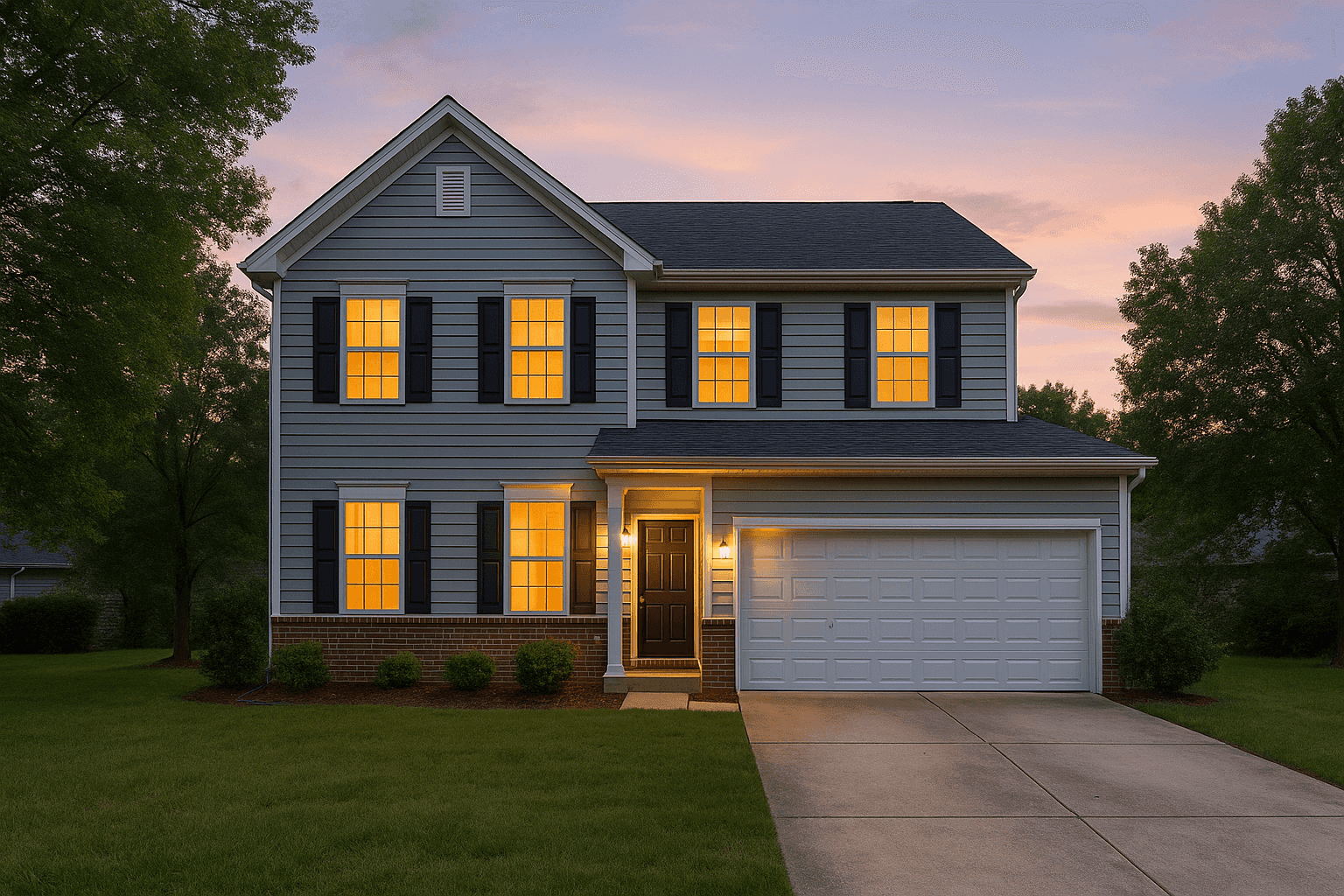
Better Listing Media
Shoot it, then deliver it in your own brand
Better Listing Media hands every shoot off through a white-label delivery portal — your logo, your colors, your client relationship — with bookings, clients and invoices on the same login.
No credit card required